My Monitor Was Cutting My Download Speed by 75%
Source Entity
Hacker News
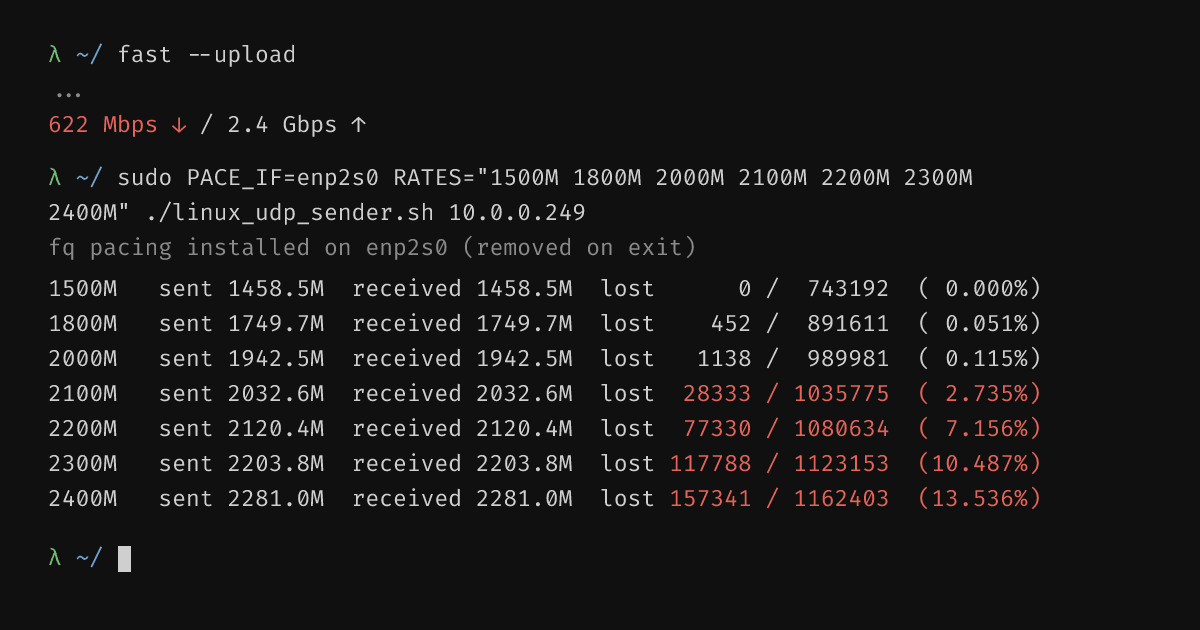
A user discovered that their high-end 2.5 Gbps internet connection was being throttled by a faulty monitor connection. This technical anomaly highlights the unexpected impact of peripheral hardware on network performance.
The Mystery of the Throttled Bandwidth
In the modern era of high-speed fiber optics, achieving a 2.5 Gbps symmetrical connection is the gold standard for connectivity. However, as one user recently discovered, the path to peak performance is often fraught with hidden technical bottlenecks. The user reported a startling drop in download speeds to 600 Mbps, while upload speeds remained a robust 2.4 Gbps. This asymmetry is counterintuitive, as network issues typically manifest as a degradation of both streams or a failure in the upload path.
Debugging a High-Speed Connection
When standard diagnostic steps failed, the user engaged their ISP—a boutique provider noted for personal responsiveness. Despite the ISP verifying that their end of the connection was functioning perfectly, the issue persisted across multiple devices, including a work laptop. This ruled out common culprits like faulty router firmware or localized OS-level network stack corruption, shifting the focus toward shared hardware components.
The Role of Peripheral Interference
In the realm of advanced home networking, peripherals often share the same bus or controller pathways as network hardware. While the provided account was interrupted by a cross-continental travel emergency, the core of the issue points toward an unexpected hardware interaction. Often, displays connected via modern interfaces like USB-C or Thunderbolt carry data signals that, if shielded improperly or conflicting with specific hardware drivers, can introduce latency or bandwidth limitations that bleed into network controllers.
Broader Implications for Hardware Integration
This incident underscores the fragility of high-bandwidth ecosystems. As we transition to multi-gigabit home networks, the complexity of our hardware chains increases. A single peripheral, such as a monitor acting as a docking station, can exert influence over the motherboard’s PCIe lanes or USB controllers, effectively acting as a 'bottleneck' that restricts throughput without triggering traditional 'connection lost' error states.
Future Trends in Troubleshooting
As users move toward 2.5GbE and 10GbE standards, the 'plug-and-play' nature of modern peripherals will increasingly clash with the demands of high-throughput data. We can expect future troubleshooting guides to emphasize the isolation of peripherals—specifically high-resolution monitors and docking stations—as a primary step when diagnosing unexpected speed degradation. The user's experience serves as a cautionary tale: when the network seems fine, look at the hardware that shares its path.
Conclusion
While the specific resolution of this user's case remains pending their return from travel, the event highlights a fascinating intersection of display technology and network architecture. It reminds us that in a high-speed digital world, the most unexpected components can become the greatest inhibitors of performance.